Image Maintenance in E-Commerce
In physical retail, customers can touch, examine, and experience products directly. In e-commerce, product images must bridge this sensory gap entirely—they are not merely decorative elements but the primary interface between product and buyer. Understanding why image maintenance constitutes a critical business function, how visual quality affects customer psychology and technical performance, and why different optimization strategies serve different strategic objectives illuminates one of the most consequential aspects of digital commerce success.
📸 What is Image Maintenance? The ongoing process of managing, optimizing, and strategically presenting product images to maximize customer engagement, technical performance, search visibility, and conversion rates while balancing visual quality, loading speed, legal compliance, and operational efficiency.
Why Product Images Function as Digital Door Openers
The fundamental challenge in e-commerce is that purchase decisions must occur without physical product interaction. Images don't simply supplement the shopping experience—they constitute the primary mechanism through which product value, quality, and appeal are communicated.
The Psychology of Visual Processing
🧠 Cognitive Speed and Emotional Response
Human brains process visual information approximately 60,000 times faster than text. When a customer lands on a product page, their brain forms an initial impression from images within 50 milliseconds—before conscious thought even begins. This instantaneous processing creates an emotional response that fundamentally shapes subsequent purchasing behavior.
High-quality images trigger positive emotional associations with the product and brand, while pixelated, poorly lit, or unprofessional images create immediate negative impressions that are difficult to overcome with even the most compelling product descriptions. The image quality doesn't just influence perception—it often determines whether customers engage with the product at all or immediately navigate away.
✨ Quality Signaling and Trust Formation
Product images function as quality signals that extend beyond the product itself to encompass the entire brand relationship. Professional, high-resolution images communicate that the merchant cares about presentation, values quality, and operates professionally. Conversely, low-quality images raise unconscious doubts: if a merchant won't invest in proper product photography, what else might they be cutting corners on?

Professional, high-quality product image

Blurred product image
This signaling effect is particularly powerful in e-commerce because customers cannot physically verify product quality before purchase. Images become proxies for the entire trust assessment—they answer unspoken questions about merchant reliability, product authenticity, and purchase risk.
The Conversion Psychology
🎯 Attention Focus and Decision Making
Isolated product images with neutral backgrounds serve a specific psychological function: they eliminate visual noise that competes for cognitive attention. When a product appears against a busy background or alongside other visual elements, the brain must work harder to process and evaluate the product itself.
Clean, isolated presentation reduces cognitive load, allowing customers to focus processing power on product evaluation rather than scene interpretation. This focused attention directly influences conversion—when customers can clearly see product details without visual distraction, they form more confident purchase decisions.
💎 Detail Perception and Value Assessment
The ability to perceive product details—texture, craftsmanship, material quality, design nuances—directly affects perceived value. High-resolution images that reveal these details help customers mentally experience the product, creating a virtual inspection that substitutes for physical examination.
When images are too small, too compressed, or too blurry to reveal these details, customers cannot perform this mental evaluation. The resulting uncertainty often manifests as abandoned carts—not because customers dislike the product, but because they cannot confidently assess whether it meets their expectations.
The Technical-Business Performance Relationship
Image quality and technical optimization exist in constant tension: higher visual quality typically means larger files, which slow loading times, which impairs user experience and search rankings. Understanding this relationship is essential to strategic image management.
The Loading Speed Paradox
⚡ The Three-Second Threshold
Research consistently demonstrates that page load times above three seconds trigger exponential increases in bounce rates. Google's data shows that as page load time increases from one to three seconds, bounce probability increases by 32%. At five seconds, it increases by 90%. At ten seconds, bounce probability exceeds 120% of baseline.
For e-commerce, where product images often constitute the largest components of page weight, this creates a critical challenge: images must be visually compelling enough to drive conversions while technically optimized enough to load within the three-second threshold. Failing to balance these competing demands means either losing conversions to poor visual quality or losing traffic to slow loading times.
🌍 The Global Performance Reality
E-commerce operates globally, but internet connection speeds vary dramatically by geography and device context. A customer browsing on a high-speed fiber connection in an urban center experiences a fundamentally different technical reality than a customer on a mobile connection in a rural area.
Image optimization strategies must account for this heterogeneity. What loads acceptably fast on premium connections may become unusably slow on constrained networks, excluding entire customer segments from effective engagement with your products.
The SEO Visibility Connection
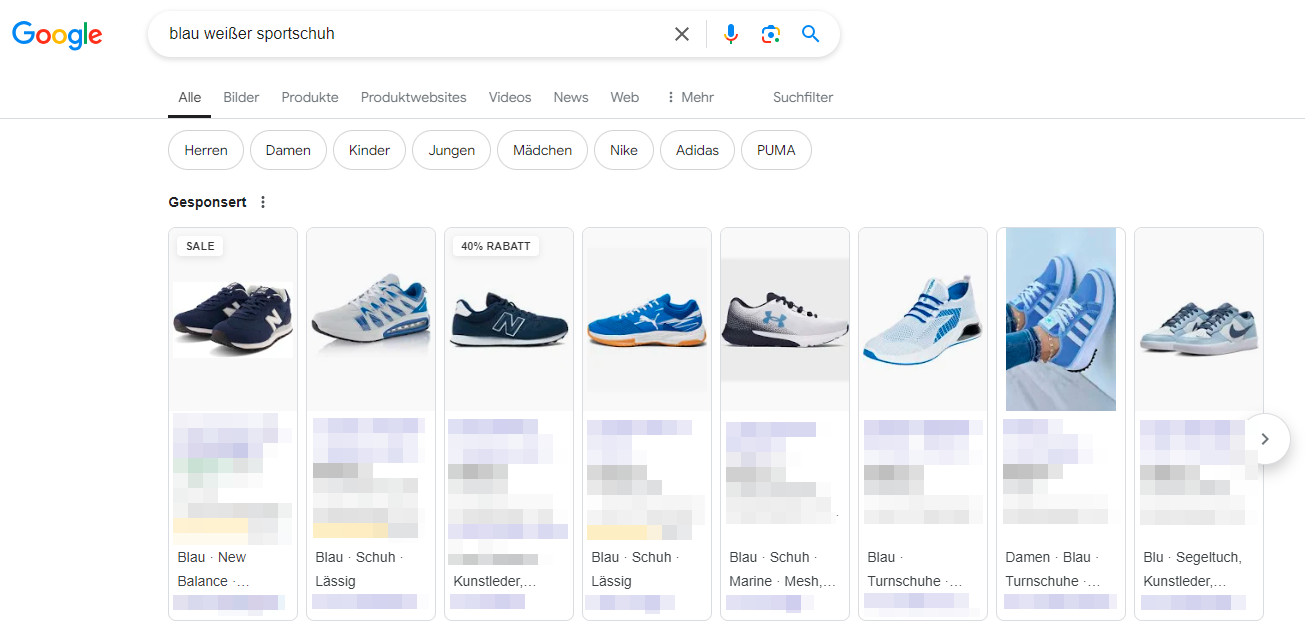
🔍 Image Search as Discovery Channel
Google Images represents a massive, often underutilized discovery channel for e-commerce. Approximately 62% of millennials show more interest in visual search than any other new technology. When product images are properly optimized with descriptive file names, relevant alt attributes, and appropriate technical parameters, they can appear in image search results and drive qualified traffic to your shop.
This visibility doesn't happen automatically—it requires understanding how search engines interpret and rank images. File names like "IMG_1234.jpg" provide no semantic signals, while "ergonomic-office-chair-blue-mesh-back.jpg" communicates clear product information that search algorithms can understand and match to user queries.
📊 Core Web Vitals and Ranking Impact
Google's Core Web Vitals—Largest Contentful Paint (LCP), First Input Delay (FID), and Cumulative Layout Shift (CLS)—directly incorporate page loading performance into search rankings. Since product images often represent the largest contentful elements on product pages, they directly affect LCP scores.
Sites with poor LCP scores face ranking penalties, reducing organic visibility and traffic. This creates a direct line between image optimization and revenue: poorly optimized images slow loading times, worsen Core Web Vitals scores, reduce search rankings, decrease organic traffic, and ultimately lower sales.
The Format and Compression Strategy Landscape
Different image formats and compression approaches reflect different technical-visual tradeoffs. Understanding why these formats exist and what problems they solve illuminates the strategic choices in image optimization.
Format Evolution and Purpose
📁 JPEG: The Universal Baseline
JPEG emerged as the dominant web image format because it achieves significant compression through selective quality reduction—it discards visual information human eyes struggle to perceive. For photographic product images with subtle color gradations, JPEG provides acceptable quality at manageable file sizes.
The limitation: JPEG compression is lossy and cumulative. Each time a JPEG is re-saved, additional quality degrades. For images requiring multiple edits or requiring transparency, JPEG's limitations become constraints.
🎨 PNG: Lossless Clarity with Cost
PNG provides lossless compression—no visual quality is sacrificed regardless of how many times the file is saved and resaved. For images requiring sharp edges, text overlays, or transparency, PNG delivers superior results.
The tradeoff: PNG files are typically significantly larger than equivalent JPEG files. Using PNG for all product images would dramatically increase page weights and loading times. PNG makes strategic sense for specific use cases (logos, graphics with text, images requiring transparency) but not as a universal solution.
🚀 WebP: Modern Optimization
WebP represents a newer format designed specifically to address web performance requirements. It supports both lossy and lossless compression, transparency, and animation, while achieving 25-35% smaller file sizes than JPEG at equivalent visual quality.
The challenge: WebP is not universally supported by all browsers, particularly older versions. Implementing WebP requires serving it to browsers that support it while falling back to JPEG/PNG for browsers that don't—adding technical complexity.
The Compression Philosophy
⚖️ The Quality-Size Equilibrium
Image compression fundamentally involves finding the equilibrium point where file size decreases maximally while perceived visual quality remains acceptable. This equilibrium isn't universal—it varies by image content, display context, and audience expectations.
Product images for luxury goods require higher quality standards than commodity products because quality perception directly influences purchase intent for premium items. Images displayed at large sizes require higher quality than thumbnails. Understanding these contextual variations allows optimization strategies that balance technical performance with business requirements.
🔄 The Dimension Sizing Logic
Uploading images larger than their display dimensions wastes bandwidth and degrades performance without improving visual quality. If a product image displays at 800×800 pixels maximum, serving a 3000×3000 pixel image forces browsers to download unnecessary data and perform computational work scaling it down.
Pre-sizing images to their maximum display dimensions eliminates this waste. The complication: responsive design means images may display at different dimensions on different devices, requiring either serving multiple image sizes (srcset approach) or choosing a middle-ground dimension that balances desktop and mobile requirements.
Responsive Implementation and Performance Optimization
Modern e-commerce serves customers on devices ranging from smartphones to desktop displays with vastly different screen sizes, resolutions, and network capabilities. Understanding how responsive image techniques address this heterogeneity illuminates critical performance optimization strategies.
The Responsive Image Logic
📱 The Device Diversity Challenge
A desktop user with a 27-inch 4K display requires much higher resolution images than a mobile user with a 5-inch display. Serving the same massive, high-resolution image to both wastes the mobile user's bandwidth, slows loading times, and degrades their experience unnecessarily.
Responsive image techniques solve this by allowing browsers to intelligently select appropriate image sizes based on device characteristics. The srcset and sizes HTML attributes provide browsers with multiple image options and selection criteria, enabling optimal image delivery for each context.
⏱️ Lazy Loading and Resource Prioritization
Not all images on a page have equal importance. Product images visible immediately when a page loads are critical—they must load instantly to prevent bounce. Images further down the page, only visible after scrolling, are less urgent.
Lazy loading defers loading below-the-fold images until they're actually needed (when users scroll near them). This reduces initial page weight, accelerates initial render time, and prioritizes resources for immediately visible content. For pages with dozens of images, lazy loading can reduce initial load times by 50% or more.
The CDN Distribution Strategy
🌐 Geographic Latency and Content Distribution
When a customer in Sydney requests a product page from a server in Frankfurt, each image must travel approximately 16,000 kilometers across multiple network hops. This physical distance creates latency—every round trip adds milliseconds to loading times.
Content Delivery Networks (CDNs) solve this by caching content on distributed edge servers positioned near customers globally. When the Sydney customer requests the page, images load from an edge server in Australia rather than traveling from Europe. This geographic proximity dramatically reduces latency and improves loading times.
🚄 Bandwidth Optimization and Performance Scaling
CDNs also provide bandwidth advantages during traffic spikes. When a product goes viral or a marketing campaign drives sudden traffic surges, origin servers can become overwhelmed. CDNs distribute this load across their global infrastructure, maintaining performance even during extreme traffic conditions.
Image Security and Brand Protection
Product images represent significant investments in photography, editing, and optimization. Understanding why protection mechanisms matter and how they function clarifies the balance between security and performance.
The Watermarking Strategy
🛡️ Deterrence Logic and Brand Visibility
Watermarks serve two purposes: they deter unauthorized image use by making theft visible and inconvenient, and they ensure brand attribution even if images are used without permission. When product images appear on other sites, watermarks maintain your brand visibility.
The tradeoff: visible watermarks reduce aesthetic quality and can distract from product presentation. Finding the balance—watermarks visible enough to provide protection but subtle enough not to impair customer experience—requires strategic positioning and transparency choices.
🎭 The Attribution Value
Even when images are used without permission, watermarks ensure your brand receives attribution. Potential customers who discover your products through unauthorized images on other sites can trace them back to your shop. This transformation—turning theft into accidental marketing—represents a form of value recovery from unauthorized use.
The Workflow Efficiency Imperative
Managing thousands or tens of thousands of product images manually is not feasible. Understanding why automation and systematic workflows matter clarifies the operational scaling requirements of image maintenance.
The Scale Challenge
📈 Volume and Consistency
A medium-sized e-commerce operation might manage 10,000 products, each requiring 5-8 images across different views and zoom levels—potentially 50,000-80,000 images total. Ensuring all these images meet quality standards, optimization requirements, naming conventions, and alt attribute requirements manually is operationally impossible.
Automation tools and systematic workflows become necessities, not conveniences. Batch processing tools that apply consistent compression, sizing, and watermarking across large image sets ensure uniformity while making the process manageable.
🔄 Update Cycles and Version Management
Products evolve—packaging changes, new variations launch, seasonal updates occur. Each change potentially requires updating multiple images across multiple products. Without systematic workflows and version management, tracking which images need updates and ensuring consistency across variants becomes chaotic.
Tools like cobby enable efficient bulk image management, allowing merchants to update product images at scale while maintaining consistency and quality standards. This operational efficiency directly affects how quickly new products can launch and how easily seasonal updates can be implemented.
The Quality Assurance Framework
✅ Standard Enforcement
Maintaining consistent image quality across thousands of products requires defined standards: minimum resolution requirements, compression quality thresholds, format specifications, naming conventions, alt attribute patterns. These standards ensure every product presents professionally regardless of who uploads images or when they're added.
Automation tools can enforce these standards programmatically—rejecting images that don't meet minimum resolution, automatically applying compression algorithms, generating standardized filenames, and flagging images requiring attention. This systematic enforcement maintains quality at scale.
The Legal and Rights Consideration Framework
Product images exist within legal frameworks governing copyright, trademark rights, and commercial use. Understanding these legal dimensions clarifies why rights management is not optional but fundamental to sustainable image maintenance.
Copyright and Licensing Models
📜 Rights Ownership and Commercial Use
Not all images are legally available for commercial use, even if they're freely accessible online. Copyright law protects photographers' and creators' rights, and using images without proper permission or licensing can result in legal liability, financial penalties, and forced content removal.
Different licensing models offer different rights:
- Royalty-free: Pay once, use indefinitely within license terms
- Rights-managed: Pay based on specific usage parameters (duration, geography, media)
- Creative Commons: Free use with varying attribution and modification restrictions
- Manufacturer-provided: Usage rights granted by product manufacturers for authorized retailers
🤝 Manufacturer Relationships and Image Libraries
Many manufacturers provide authorized product images to retailers, explicitly granting rights for commercial use in product listings. These manufacturer libraries solve multiple problems simultaneously: they provide high-quality images, ensure legal compliance, and maintain brand consistency across retail channels.
The strategic approach: whenever possible, use manufacturer-provided images or properly licensed content rather than sourcing images of unknown provenance. While platforms like Pexels and iStock provide royalty-free options for decorative imagery, product-specific images should come from authorized sources.
The Integration Thesis: Where Image Maintenance Connects to Business Success
Image maintenance doesn't exist in isolation—it connects intimately to customer psychology, technical performance, search visibility, operational efficiency, and legal compliance. Understanding these connections illuminates why systematic image management is not an aesthetic preference but a business imperative.
The Conversion Chain
High-quality images → Positive first impressions → Emotional engagement → Detailed product evaluation → Confidence in purchase decision → Higher conversion rates → Increased revenue
The Performance Chain
Optimized images → Faster loading times → Better user experience → Lower bounce rates → Higher engagement → Improved Core Web Vitals → Better search rankings → More organic traffic → Increased revenue
The Efficiency Chain
Systematic workflows → Scalable operations → Consistent quality → Faster product launches → Easier updates → Lower operational costs → Higher operational leverage
The Risk Management Chain
Proper licensing → Legal compliance → Protected brand reputation → No liability exposure → Sustainable operations
The Strategic Investment Perspective
Investing in high-quality product photography, professional editing, systematic optimization, and efficient management workflows represents one of the highest-ROI investments available in e-commerce. Unlike paid advertising spend that generates temporary traffic, image quality improvements provide compounding returns: they improve conversions on organic traffic, paid traffic, and all future traffic indefinitely.
The distinction between cost and investment is clarity of return. Image maintenance isn't an expense to minimize—it's an investment whose returns appear across multiple business dimensions simultaneously: customer trust, technical performance, search visibility, operational efficiency, and legal protection.
Tools like cobby enable merchants to manage these complex image requirements efficiently, bridging the gap between quality aspirations and operational reality. By systematizing image workflows, automating optimization processes, and maintaining consistency at scale, modern image management platforms transform what was once an operational bottleneck into a sustainable competitive advantage.