How to Edit Product Descriptions with the HTML Editor (Shopware)
This guide shows you how to edit product descriptions using cobby's built-in HTML editor. The editor automatically converts your formatted text to HTML, so you don't need to know HTML coding to create professional product descriptions.
Open the description editor
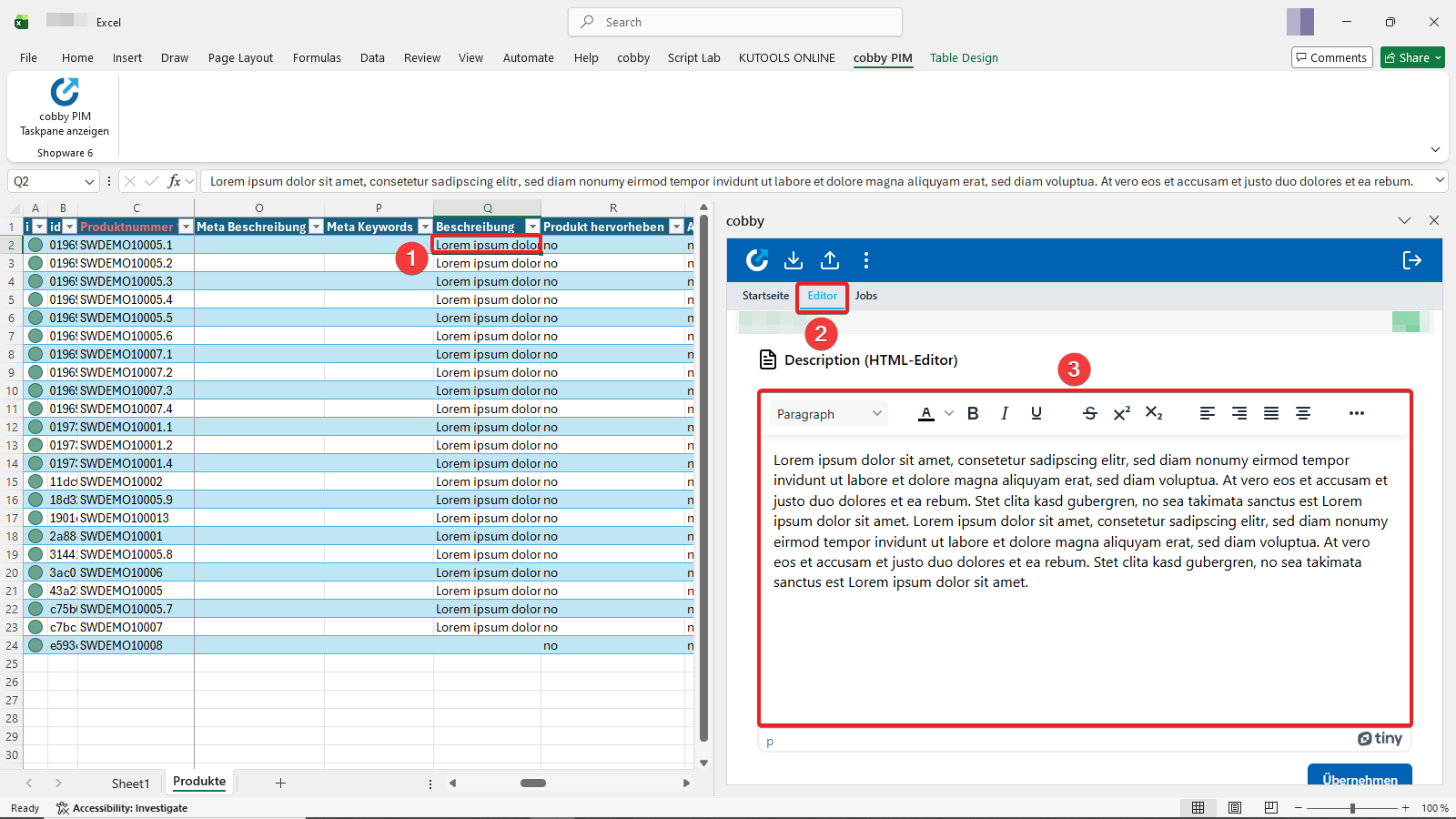
- Navigate to the Description column in your cobby Excel worksheet. Click into the row of the product whose description you want to update.
- Click on the Editor tab in the cobby Task Pane.
- The text field with various editing options is now displayed.
Format your text
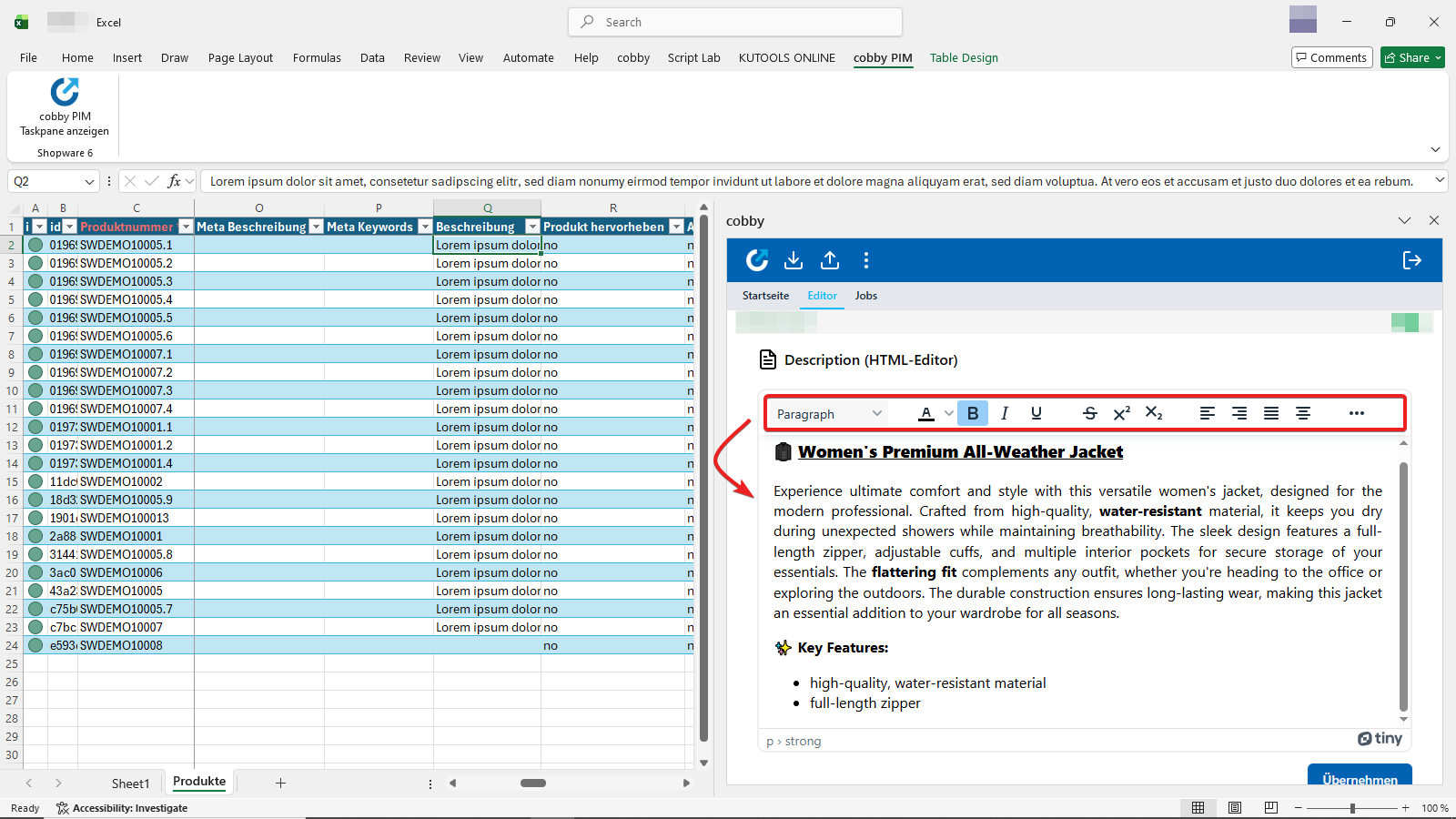
Use the options toolbar to style your text as desired. You can choose from:
- Different headings
- Font colors
- Bold, italic, underline, strikethrough
- Bullet point lists ... and more!
You can also copy emojis directly into the field.
Access the HTML source code (optional)
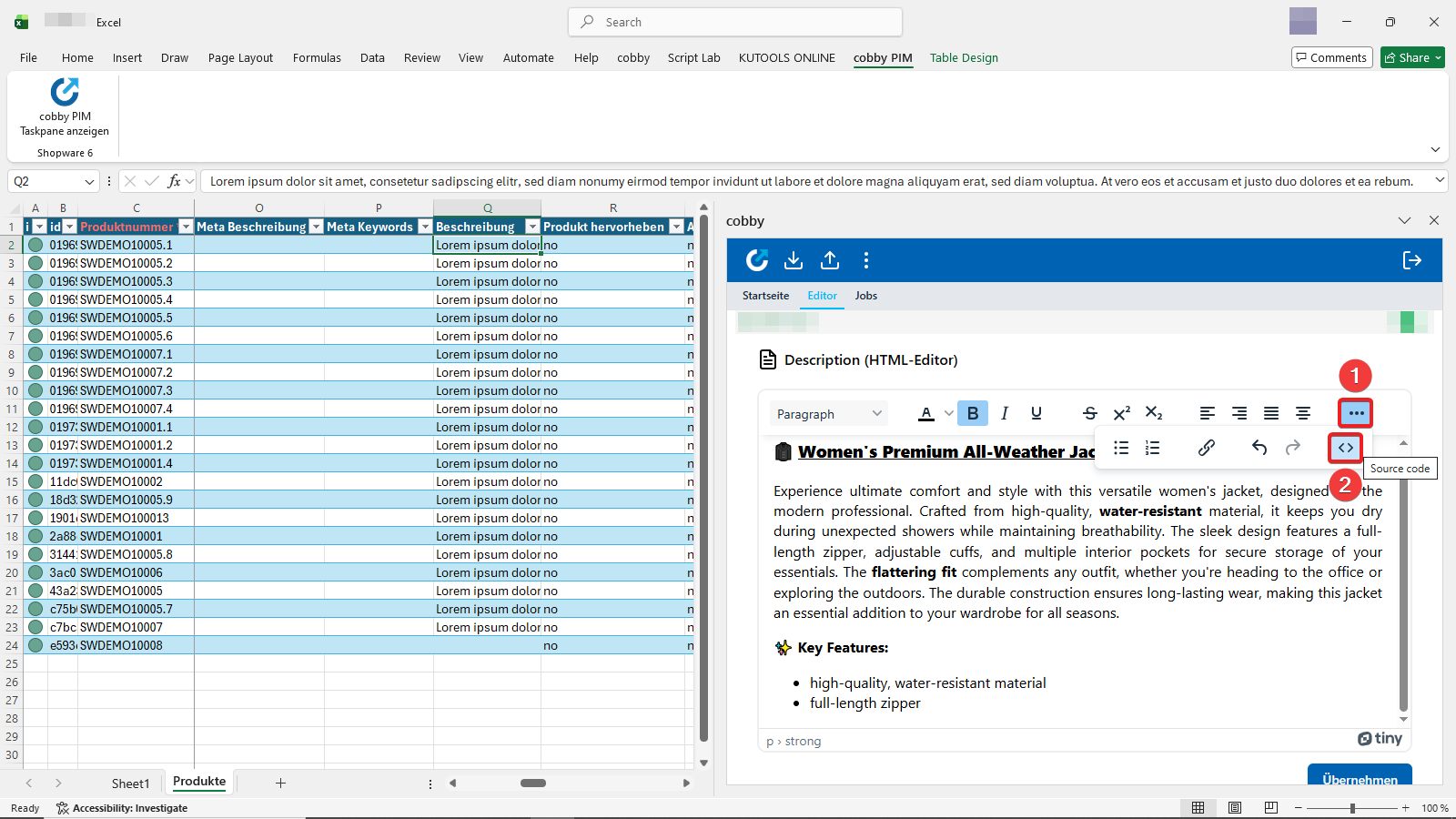
Online shops often require the HTML format for descriptions to ensure proper formatting. With the HTML editor, you don't need to know HTML yourself - your text is automatically reformatted.
If you still want to see your text in HTML format:
- Click the three dots on the far right of the options toolbar.
- Click the icon on the far right that displays the source code.
View and edit HTML code
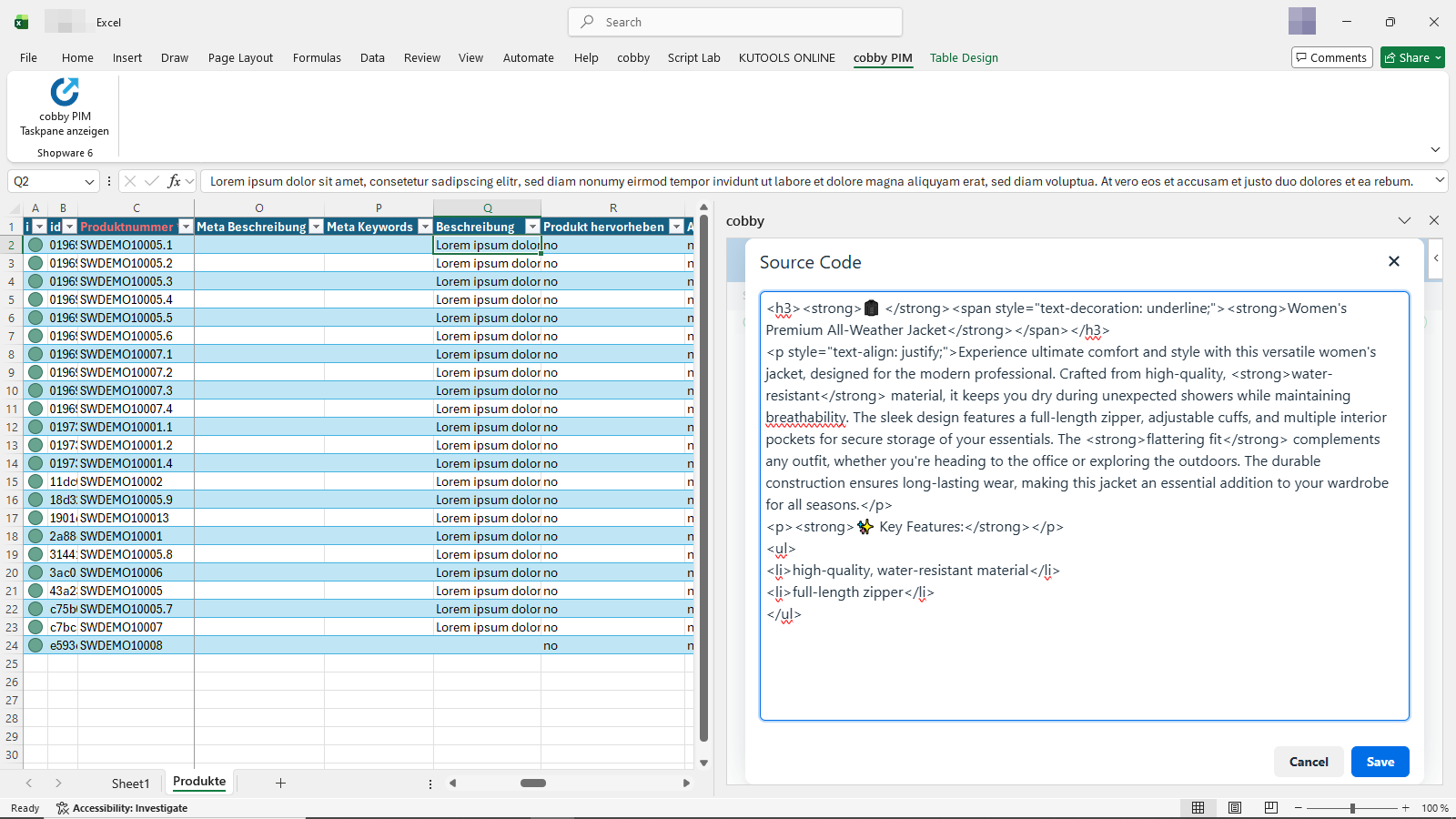
You'll now see what your text looks like in HTML. Changes in the normal text field are automatically adjusted in the code.
The editor automatically converts your formatted text to valid HTML. You can switch between the visual editor and HTML view at any time.
Apply your changes
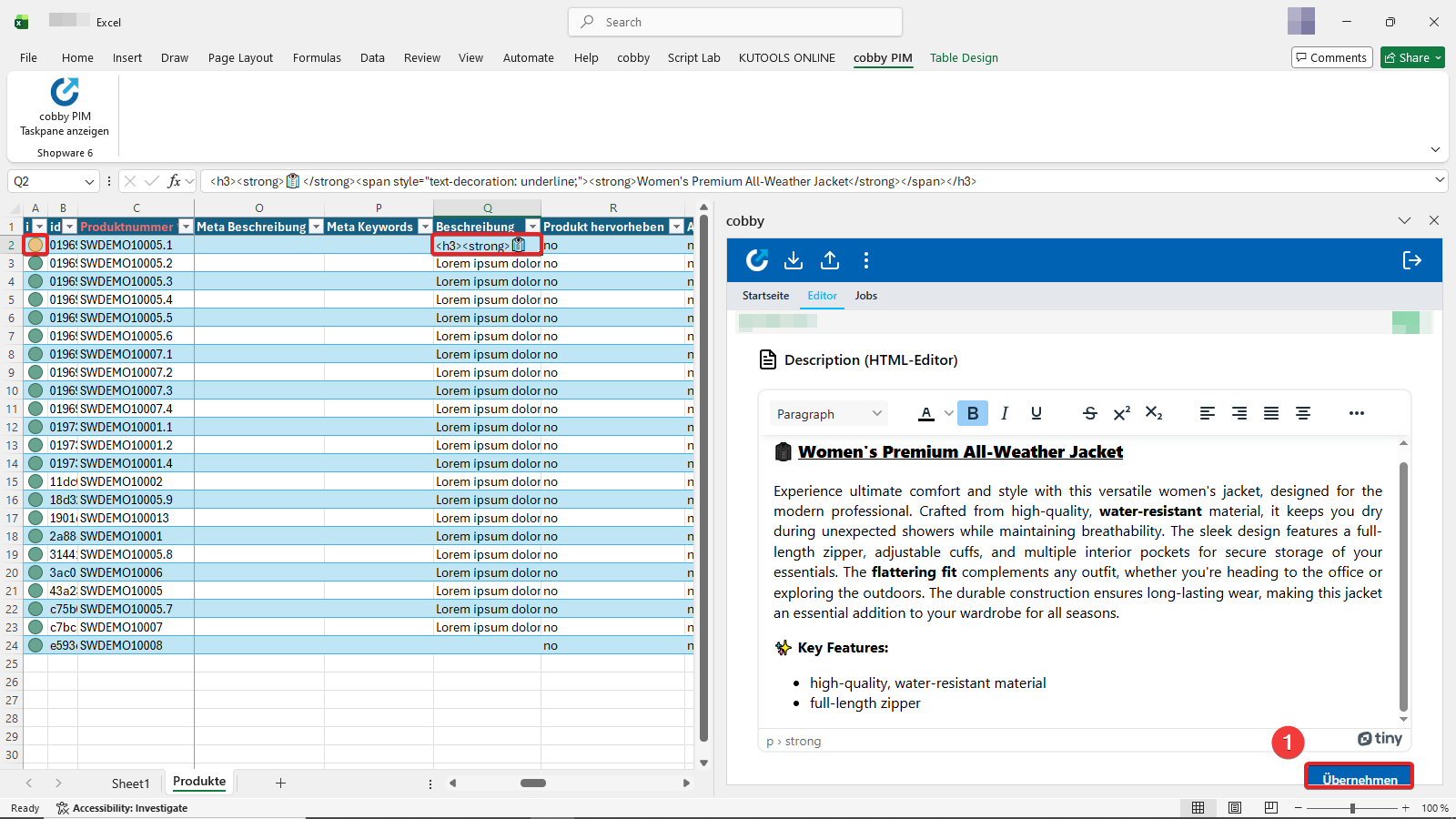
To save your text, click "Apply" (Übernehmen). The text will then appear in HTML format in the selected cell - exactly as it should be for seamless shop integration. Due to the change, the product status turns yellow.
Upload to your shop
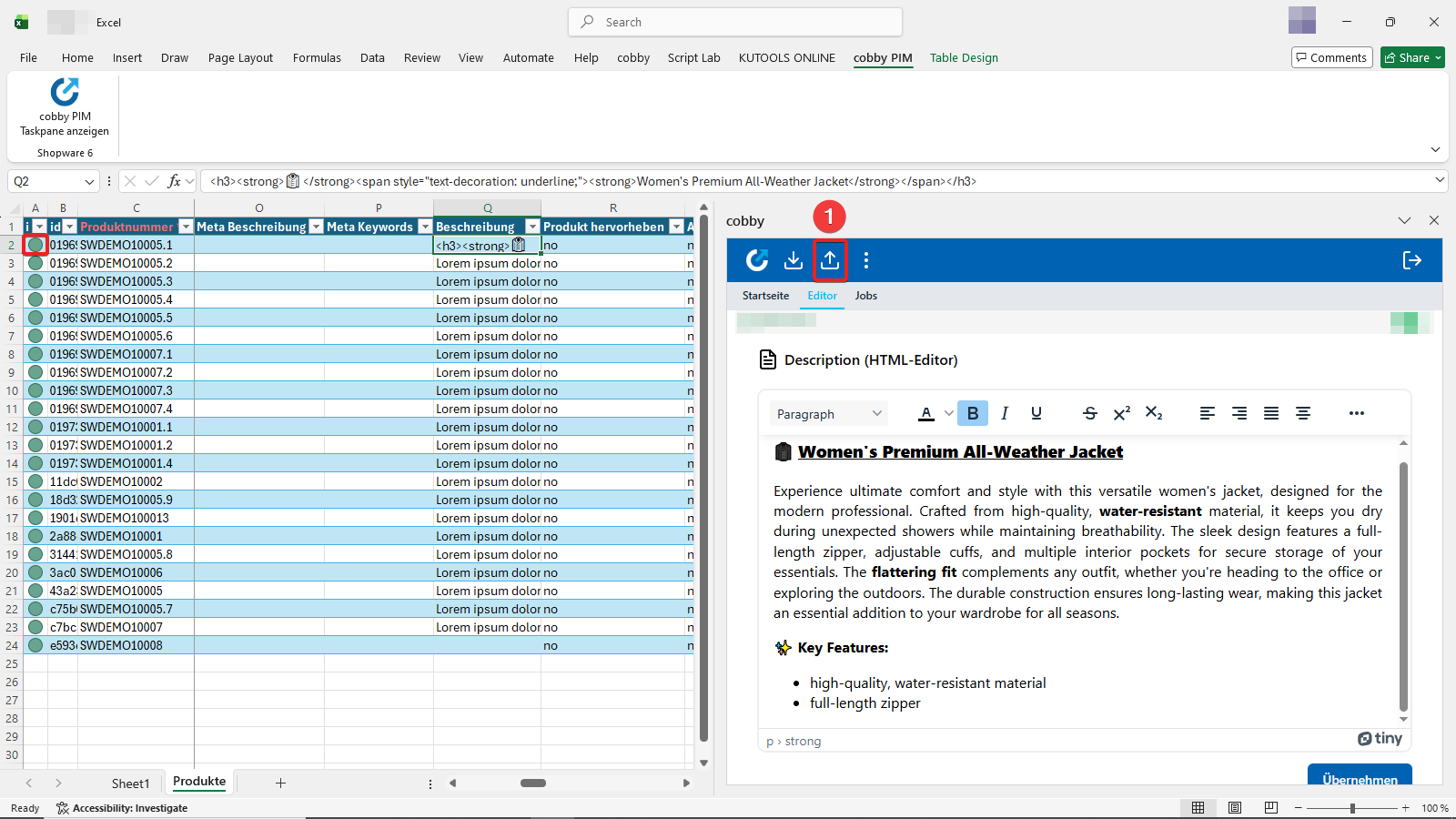
To make your changes visible in your shop, click the Upload button in the cobby Task Pane. The product status will then turn green again.
Result
Your product description is now updated in both cobby and your Shopware shop. The formatted HTML description is immediately visible to customers in your online store.
Once your description is ready, you can easily copy and paste the finished text to similar product variants using standard Excel copy-paste functionality. This is particularly useful for products that share similar descriptions with only minor variations.