How to Edit Linked Properties (Shopware)
This guide shows you how to change linked properties such as color, size, or material for products in cobby Excel. Linked properties are organized in property groups and can be modified with just a few clicks.
Navigate to linked properties and open the editor
-
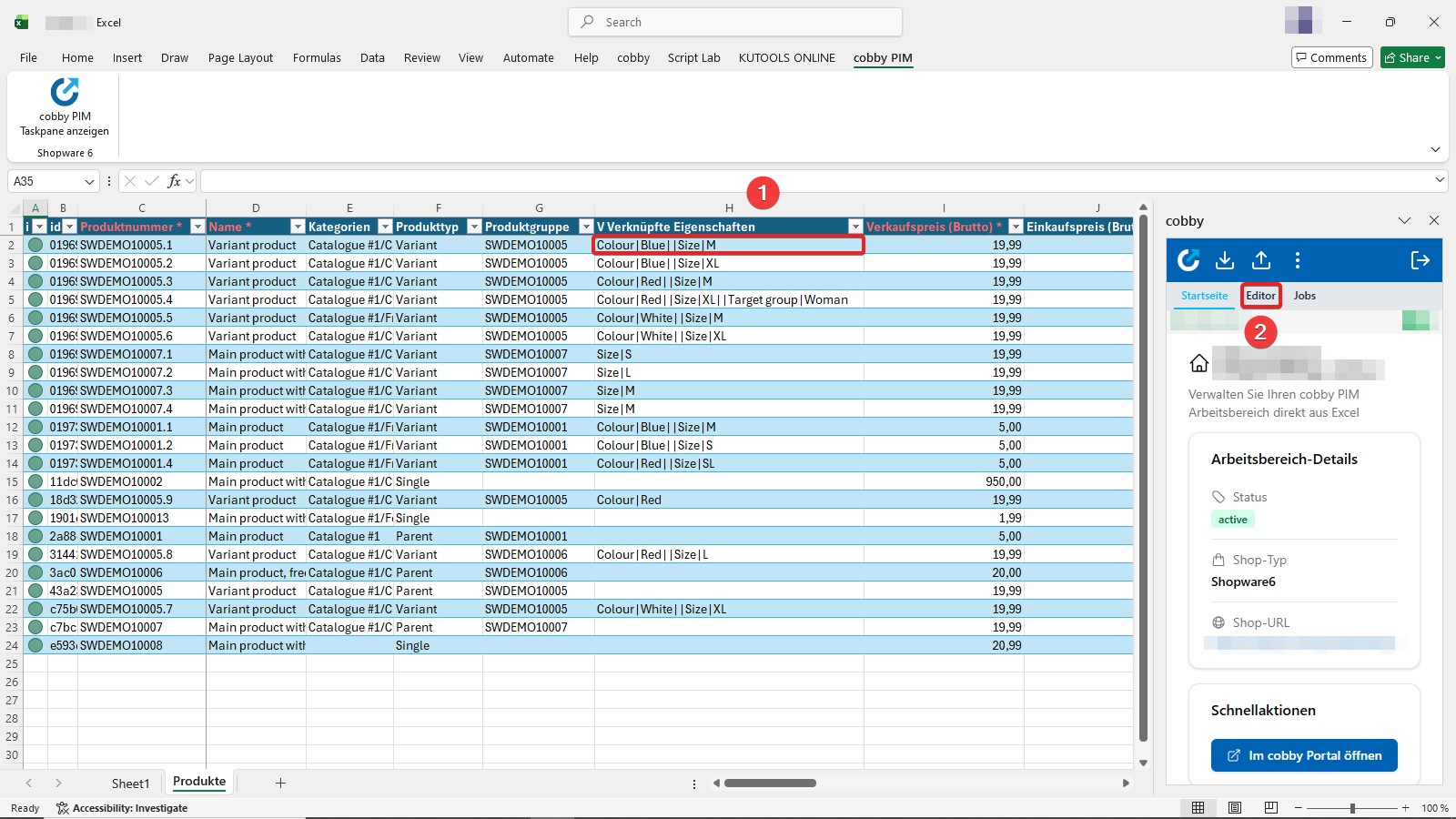
In your cobby Excel worksheet, locate the Linked Properties (Verknüpfte Eigenschaften) column. Here you'll see all assigned properties like Size, Material, Color, etc. for each product. Click into the row of the product whose properties you want to change.
-
Switch to the Editor tab in the cobby Task Pane. The Task Pane will now display the editing options for the selected product.
View property groups and select one or more
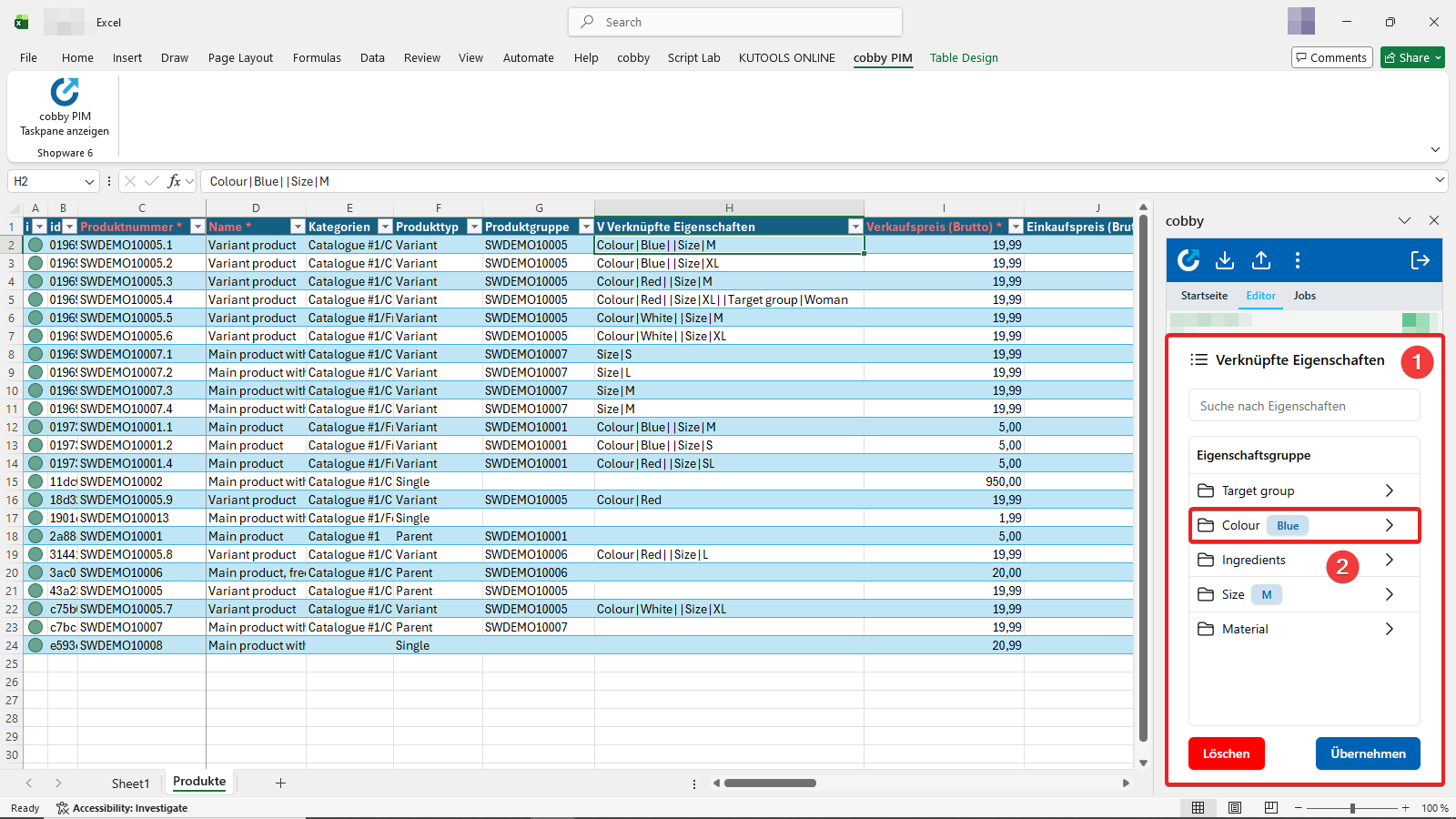
- You'll now see all linked properties sorted into property groups. In this example, we'll change:
- Color to Red
- Size to L
- Material to Cotton
- Click on a property group (e.g., "Colour") to access its selection options.
Select your property value
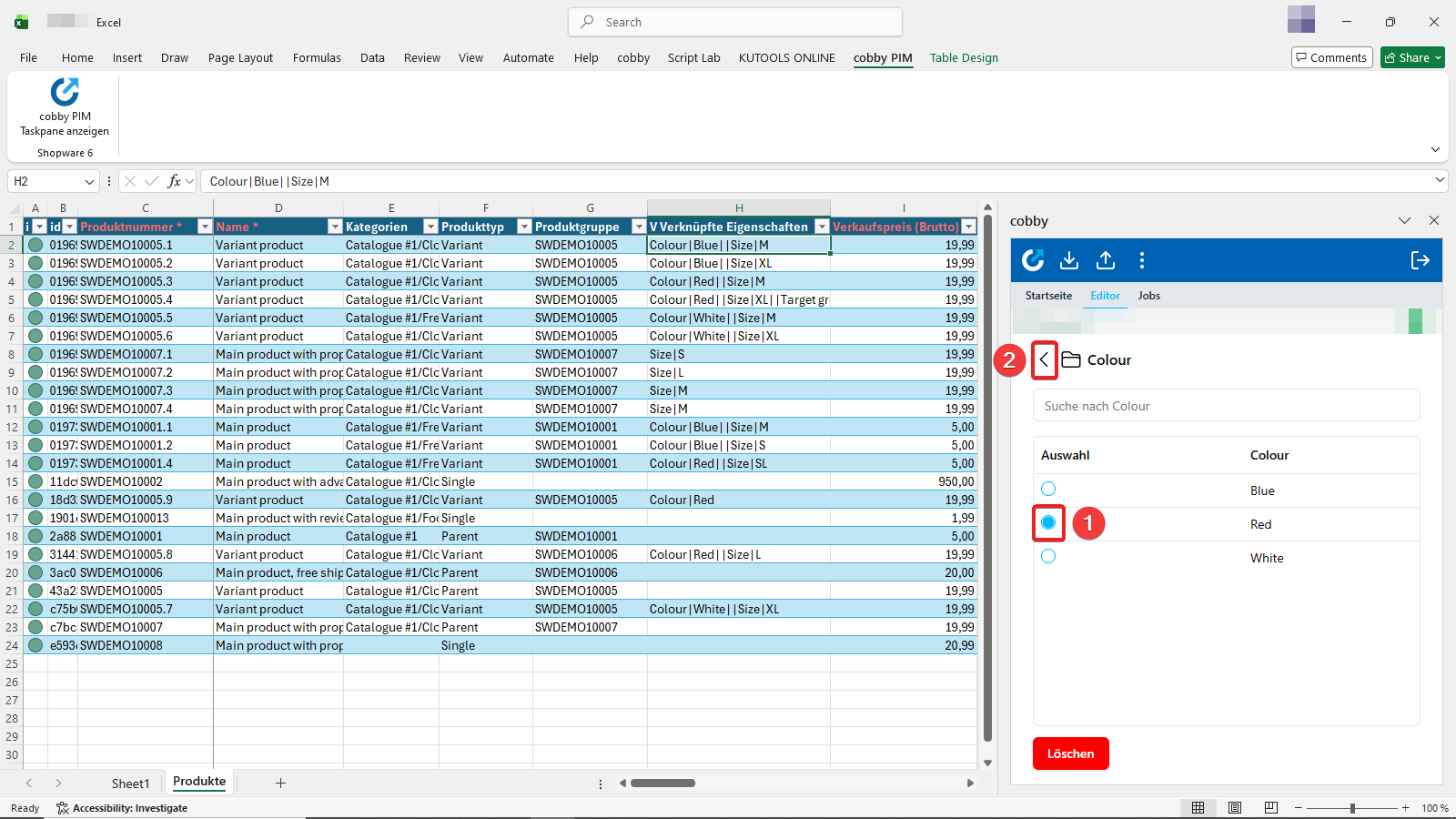
- Click on your desired option (e.g., "Red").
- Then exit the selection menu using the back arrow (top left, next to the property group name).
Repeat this process for any other properties you want to change (Size, Material, etc.).
Your selection is preserved when you navigate back. The save step comes later.
Apply your changes
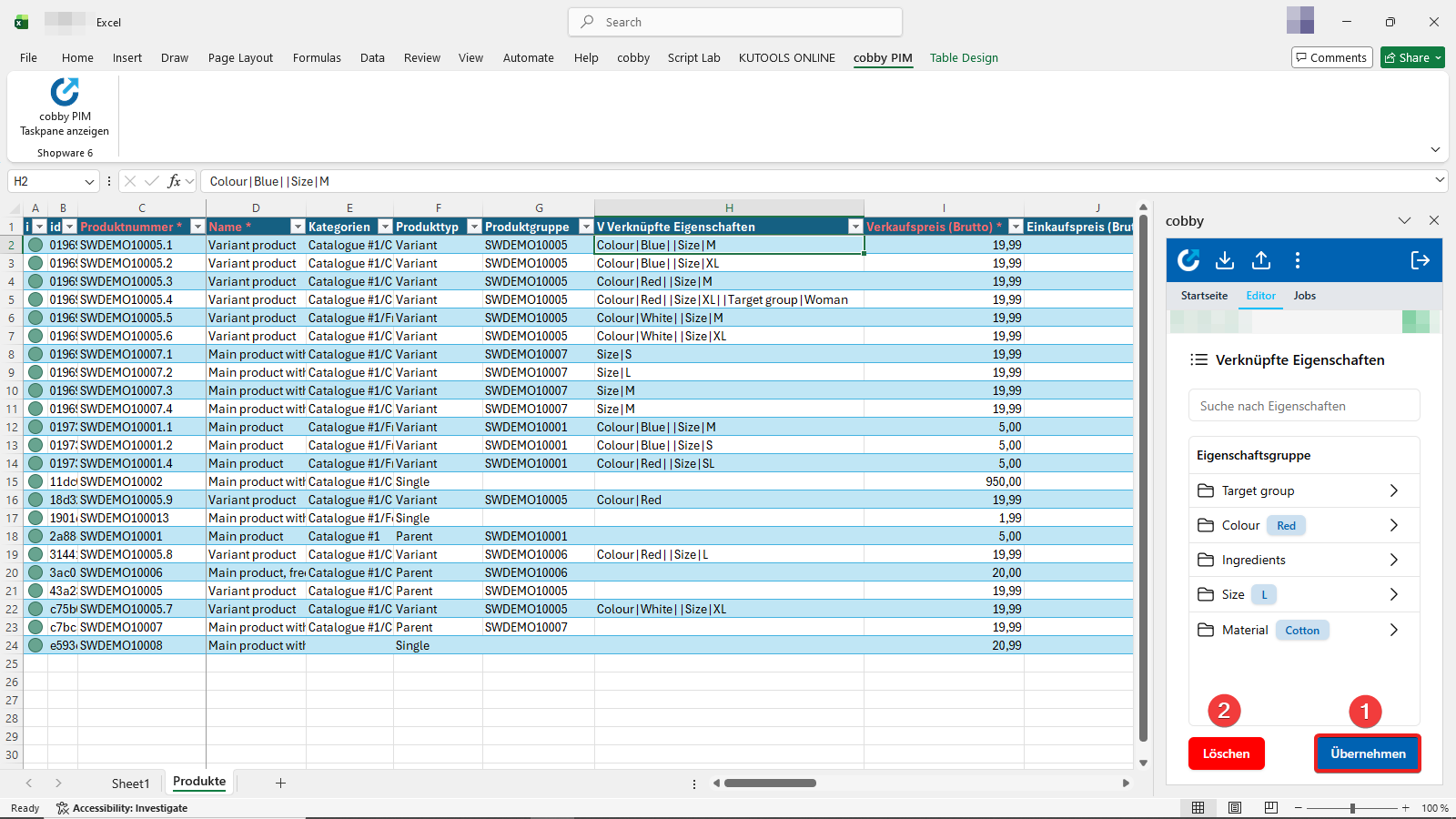
You can see your current selection indicated by blue boxes next to each property group.
- Click "Apply" (Übernehmen) to confirm your property selections.
If you need to clear all selected properties, click "Delete" (Löschen) to remove all selections.
Upload changes to your shop
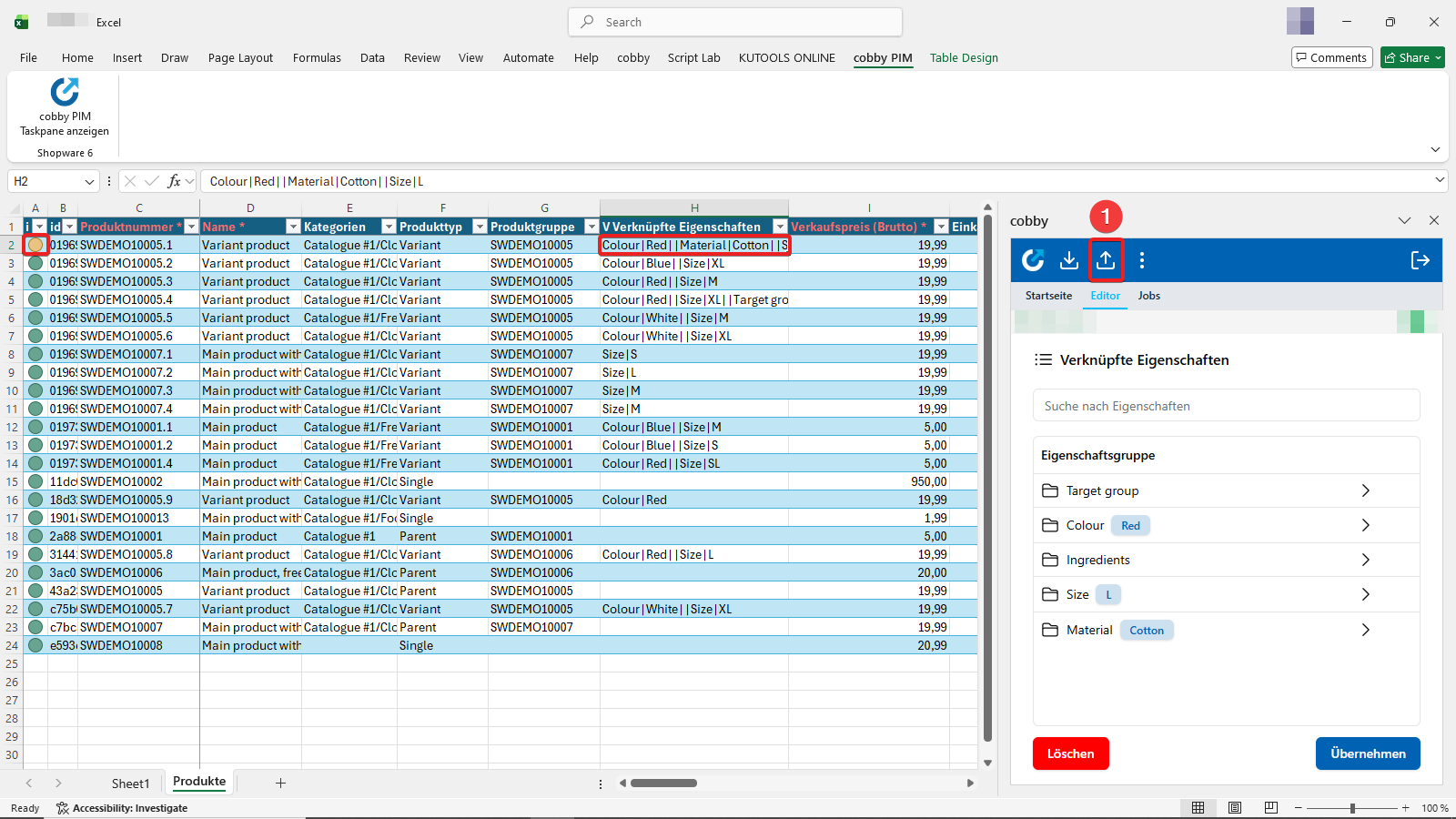
After clicking "Apply", the selected properties are transferred to the product row and the product status turns yellow (indicating unsaved changes).
- Click the Upload button in the top bar of the cobby Task Pane to save the changes to your Shopware shop.
Result
Your product properties are now updated in both cobby and your Shopware 6 shop. The property changes are immediately visible in your shop system.
You can select multiple products and repeat this process to efficiently update properties across many products.